


Cos'è una Morsettiera PG in Plastica?
Definizione e Funzione
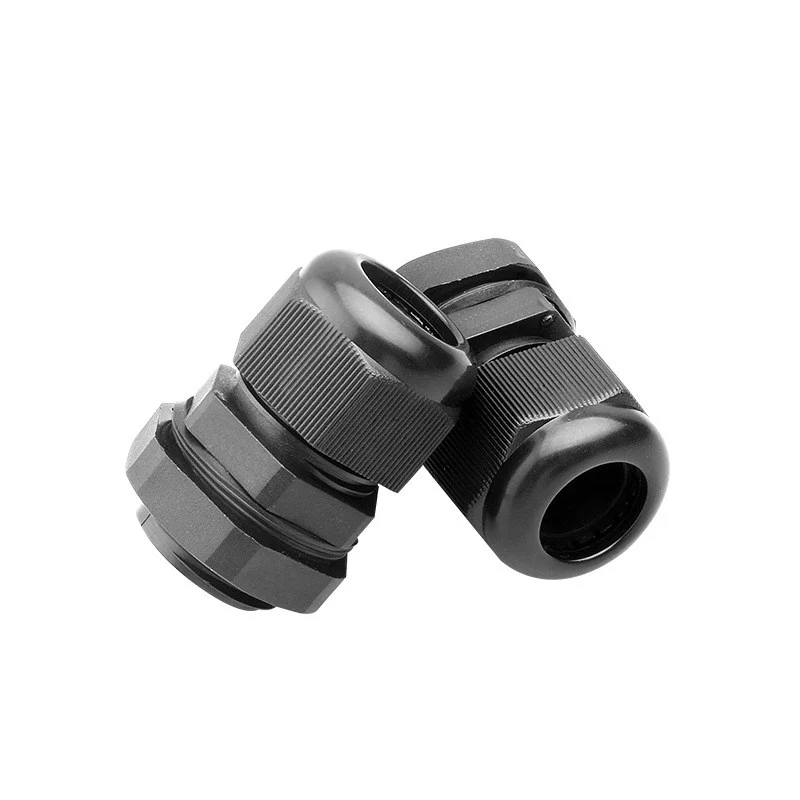
Una plastica PG pressacavo è un dispositivo di tenuta ad alte prestazioni progettato per fissare la fine di un cavo elettrico a un involucro o strumento. La sua funzione principale è fornire un affidabile sollievo dallo sforzo e protezione ambientale. Stringendo saldamente il cavo, impedisce che lo stress meccanico danneggi le connessioni interne garantendo una tenuta ermetica contro polvere e acqua all'ingresso.
Comprendere le Dimensioni del Filetto PG
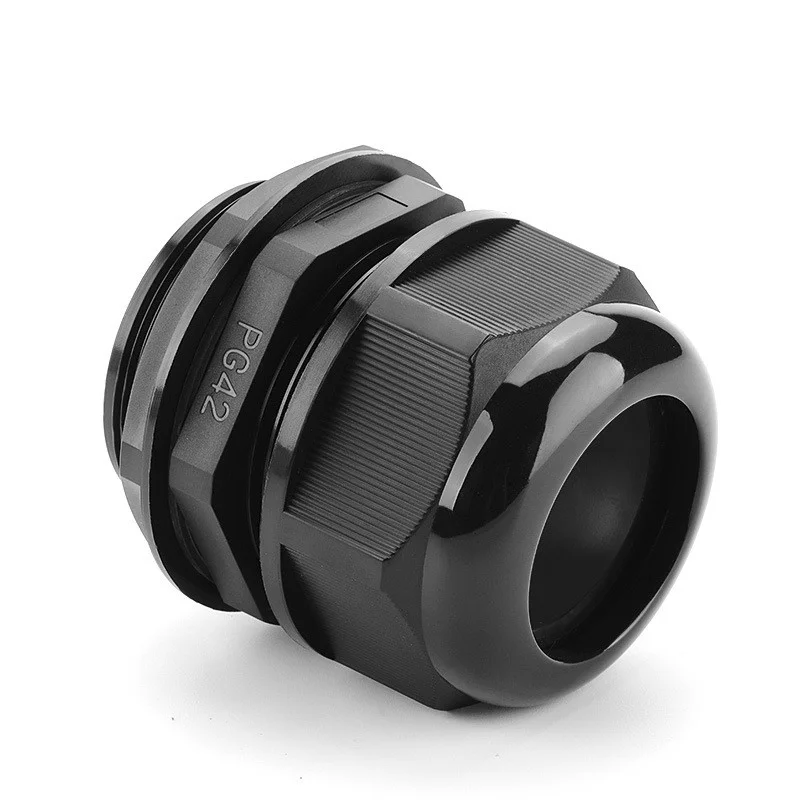
Il termine “PG” si riferisce a Panzer-Gewinde, uno standard di filettatura tecnico originario della Germania (DIN 40430). A differenza delle filettature metriche che utilizzano un passo standard in millimetri, le filettature PG sono caratterizzate da una profondità di filetto più superficiale e da un angolo di spalla specifico.
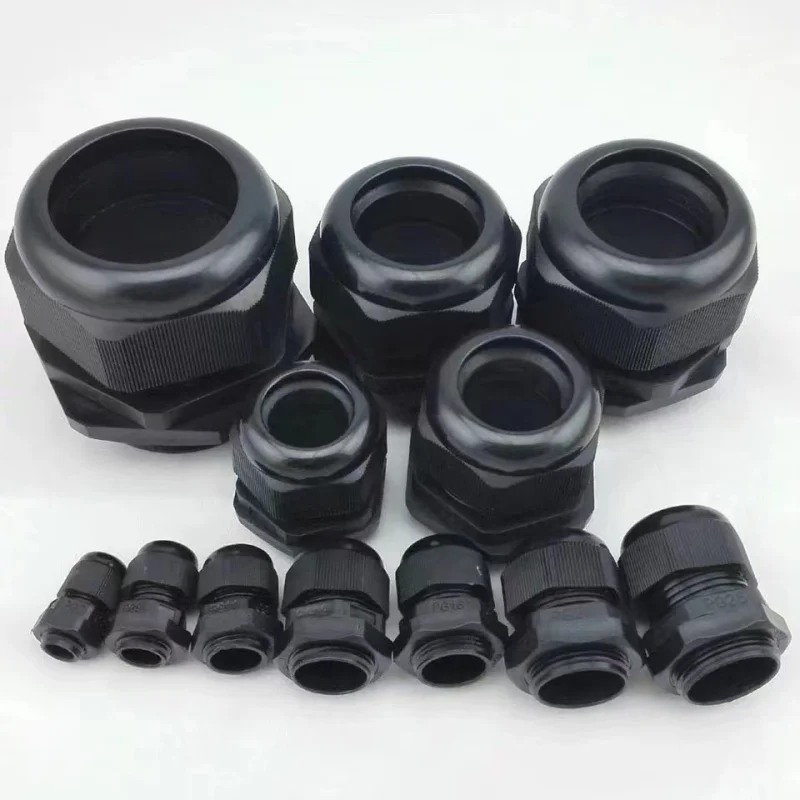
Le dimensioni comuni variano dal compatto morsetto PG7 al robusto PG63. Comprendere queste dimensioni è fondamentale per garantire una vestibilità precisa all’interno dei fori preforati del contenitore, mantenendo l’integrità dell’intero sistema elettrico.
Componenti Chiave e Materiali
Le nostre ghiandole in plastica PG sono progettate utilizzando poliammide (nylon) di alta qualità, noto per la sua elevata resistenza meccanica e stabilità termica. L’assemblaggio di solito consiste di quattro componenti principali:
- Dado di tenuta: Fornisce la coppia necessaria per comprimere la guarnizione interna.
- Artiglio di bloccaggio: Distribuisce la pressione uniformemente attorno al cavo per una presa superiore.
- Guarnizione interna: Di solito realizzata in gomma NBR o EPDM per la massima resistenza alle intemperie.
- Corpo principale: Presenta il filetto PG specifico per un montaggio sicuro.
Key Features and Advantages of Plastic PG Cable Glands
Scegliere la giusta ghiandola PG in plastica significa mettere in sicurezza le connessioni elettriche contro ambienti ostili. Questi componenti offrono vantaggi distinti per le installazioni di cablaggio moderne, garantendo affidabilità a lungo termine senza i costi elevati o il peso delle alternative in metallo.
Eccellente Resistenza alla Corrosione e Chimica
A differenza delle opzioni metalliche che si arrugginiscono nel tempo, una ghiandola PG in plastica offre un’eccezionale resistenza ad acidi, alcali e solventi industriali. Progettiamo queste ghiandole utilizzando polimeri di alta qualità come la poliammide (nylon). Questa scelta di materiale previene il degrado in ambienti umidi o in impianti chimici, rendendole un elemento di manutenzione zero per configurazioni industriali ostili.
Classificazione IP e Protezione Impermeabile
L’umidità è il nemico finale dei sistemi elettrici. Le nostre ghiandole PG presentano guarnizioni di alta qualità contro polvere e acqua, tipicamente con una classificazione IP68. Ciò garantisce una tenuta stretta e sommergibile che blocca acqua, polvere e contaminanti.
| Caratteristica | Livello di Protezione | Beneficio |
|---|---|---|
| A prova di polvere | IP6X | Protezione completa contro le particelle solide |
| Impermeabile | IPX8 | Resiste all'immersione continua sotto pressione |
| Antivibrazione | Ratchet integrato | Previene il ritorno della guarnizione nel tempo |
Durata e intervallo di temperatura
Queste guarnizioni sono costruite per resistere a forti cambiamenti ambientali. Mantengono un'elevata resistenza alla trazione e l'integrità strutturale su un ampio intervallo di temperature operative, tipicamente da -40°C a 100°C (fino a 120°C per brevi periodi). Inoltre, la resina plastica stabilizzata resiste ai raggi UV, prevenendo che il materiale diventi fragile o si crepi quando esposto alla luce solare diretta in installazioni esterne.
Dimensioni e specifiche standard
Dimensioni comuni da PG7 a PG63
Produciamo la nostra gamma di guarnizioni per cavi in plastica PG per rispettare le dimensioni standard del filetto tedesco, garantendo completa compatibilità con le tue scatole e pannelli esistenti. La nostra linea di prodotti standard va dalla compatta guarnizione per cavi PG 7 fino alla robusta PG63, coprendo quasi tutte le esigenze di cablaggio industriale.
Le opzioni più richieste per le scatole di controllo standard includono la guarnizione per cavi PG 9, PG 11, PG 13.5 e PG 16. Per linee di distribuzione di potenza più grandi, forniamo opzioni ad alta capacità come la guarnizione PG 21, PG 25 e PG 32.
Range di serraggio e diametro del cavo
Scegliere la tabella delle dimensioni della guarnizione PG corretta è fondamentale per ottenere una tenuta ambientale perfetta. Ogni dimensione di guarnizione PG presenta un intervallo di serraggio specifico progettato per afferrare il cavo saldamente senza danneggiare l'isolamento.
| Tipo PG | Gamma di diametro esterno del cavo (mm) | Diametro esterno del filetto (mm) | Lunghezza del filetto (mm) | Distanza tra le facce della ghiere (mm) |
| PG-7 | 3-6.5 | 12.5 | 9 | 18/16 |
| PG-9 | 4-8 | 15.2 | 10 | 22/19 |
| PG-11 | 5-10 | 18.6 | 9 | 24/22 |
| PG-13.5 | 6-11 | 20.4 | 10 | 27/24 |
| PG-16 | 10-13 | 22.5 | 10 | 29/27 |
| PG-19 | 11-15 | 24 | 10 | 30/28 |
| PG-21 | 13-18 | 28.3 | 12 | 35/33 |
| PG-25 | 16-21 | 30 | 12 | 37/35 |
| PG-29 | 18-25 | 37 | 12 | 45/42 |
| PG-36 | 22-32 | 47 | 15 | 58/52 |
| PG-42 | 32-38 | 54 | 18 | 61/56 |
| PG-48 | 37-44 | 59.3 | 18 | 69/63 |
| PG-63 | 42-50 | 71 | 29 | 81/76 |
Principali applicazioni e usi industriali
Le guarnizioni per cavi PG in plastica sono componenti essenziali utilizzati in vari settori per fissare i cavi, fornire sollievo dalla trazione e mantenere le tenute ambientali. Le nostre guarnizioni PG assicurano che polvere, umidità e detriti rimangano fuori da apparecchiature sensibili, proteggendo i tuoi sistemi elettrici da danni.
Pannelli di controllo elettrici e contenitori
Nelle installazioni elettriche moderne, i pannelli di controllo e le scatole di derivazione richiedono una protezione robusta ai punti di ingresso. L'uso di una guarnizione PG affidabile previene che i cavi si stacchino o sfregano contro spigoli di metallo affilati.
- Ingresso sicuro: Mantiene la classificazione IP dell'involucro elettrico.
- Sollievo da Trazione: Previene che le terminazioni dei fili interni si stacchino durante il funzionamento o la manutenzione.
- Organizzazione Ordinata: Mantiene i cavi in ingresso e in uscita organizzati insieme ad altri strumenti di gestione dei cavi, come morsetti robusti clip per cavi piatti utilizzati all'interno dell'alloggiamento.
Automazione Industriale e Macchinari
Gli impianti di produzione e le linee di produzione automatizzate sottopongono i cavi a vibrazioni costanti, movimenti e condizioni estreme. L'implementazione della dimensione corretta del dado a vite per il cavo garantisce una trasmissione di energia e segnale senza interruzioni per macchinari sensibili.
- Resistenza alle Vibrazioni: I meccanismi di blocco integrati impediscono alla guarnizione di allentarsi sotto le vibrazioni costanti della macchina.
- Dimensionamento Versatile: Da piccole connessioni di sensori che utilizzano un dado a vite per cavi PG 7 a linee di alimentazione di grande portata che richiedono dimensioni maggiori, queste ghiere si adattano senza problemi a vari setup di macchinari industriali.
- Difesa Chimica: Il corpo in plastica di alta qualità resiste a oli di macchina, liquidi refrigeranti e solventi industriali comuni.
Illuminazione Esterna e Distribuzione di Energia:
Le installazioni elettriche esterne sono soggette a esposizione continua a pioggia, raggi UV e variazioni estreme di temperatura. Le nostre ghiere in plastica PG per cavi offrono una tenuta affidabile e resistente alle intemperie che prolungano la durata dell'infrastruttura esterna.
- Prestazioni Impermeabili: Mantiene l'acqua fuori dall'illuminazione stradale, dai setup LED architettonici e dalle telecamere di sicurezza esterne.
- Protezione UV e dalla Corrosione: A differenza delle alternative in metallo che possono arrugginire o corrodere nel tempo, la costruzione in plastica di alta qualità resiste all'esposizione prolungata al sole e all'umidità.
- Affidabilità dell'Infrastruttura: Ideale per scatole di distribuzione di energia commerciale, sistemi di energia rinnovabile e hub di telecomunicazioni.
Come Selezionare la Giusta Ghiaia in Plastica PG per Cavi
Scegliere il giusto dado per cavi in plastica PG garantisce che il vostro sistema elettrico rimanga sicuro e stagno. Consigliamo di concentrarsi sull'ambiente specifico e sullo spessore esatto del cablaggio per evitare errori comuni nell'installazione.
Corrispondenza tra diametri del cavo e dimensioni del filetto
Il passo più critico è assicurarsi che le dimensioni del dado PG siano in linea con il diametro esterno del cavo. Un dado troppo grande non garantirà una tenuta corretta, mentre uno troppo piccolo potrebbe danneggiare la guaina del cavo.
| Dimensione PG | Gamma di cavi (mm) | Diametro esterno del filetto (mm) |
|---|---|---|
| PG 7 | 3,0 – 6,5 | 12.5 |
| PG 9 | 4,0 – 8,0 | 15.2 |
| PG 13,5 | 6,0 – 11,0 | 20.4 |
| PG 21 | 13,0 – 18,0 | 28.3 |
| PG 29 | 18,0 – 25,0 | 37.0 |
Selezione delle opzioni di colore appropriate
Sebbene l'estetica sia importante, il colore spesso indica l'applicazione. Forniamo opzioni standard per abbinare le tue attrezzature:
- Nero: Ideale per uso esterno in quanto offre una resistenza superiore ai raggi UV. Per una gestione aggiuntiva dei cavi all'aperto, considera l'uso di fascette nere per mantenere tutto organizzato.
- Grigio: Lo standard del settore per pannelli di controllo interni e scatole di derivazione.
- Bianco/Azzurro: Spesso utilizzato per segnali specifici o ambienti di sala pulita.
Migliori pratiche per l'installazione e la manutenzione
Per ottenere il massimo dai tuoi pressacavi PG, segui questi consigli professionali per una vestibilità sicura:
- Stringare a mano per primo: Inizia sempre a mano per evitare il cross-threading del corpo in plastica.
- Usa lo Strumento Giusto: Termina con una chiave inglese per una presa sicura, ma non eccessivamente, poiché ciò può rompere il nylon.
- Controlla la guarnizione: Assicurati che la tenuta interna sia correttamente posizionata per mantenere la classificazione IP68.
- Ispezioni regolari: In aree ad alta vibrazione, controlla la serratura ogni pochi mesi per prevenire allentamenti.
- Protezione Ambientale: Se hai bisogno di isolamento extra o protezione contro le tensioni nel punto di connessione, usare tubo termoretraibile prima di inserire il cavo nel gland può offrire un ulteriore livello di durabilità.
 IT
IT  EN
EN  AR
AR  ES
ES  PT
PT  FR
FR  RU
RU  DE
DE  KO
KO  JA
JA  NL
NL  TR
TR