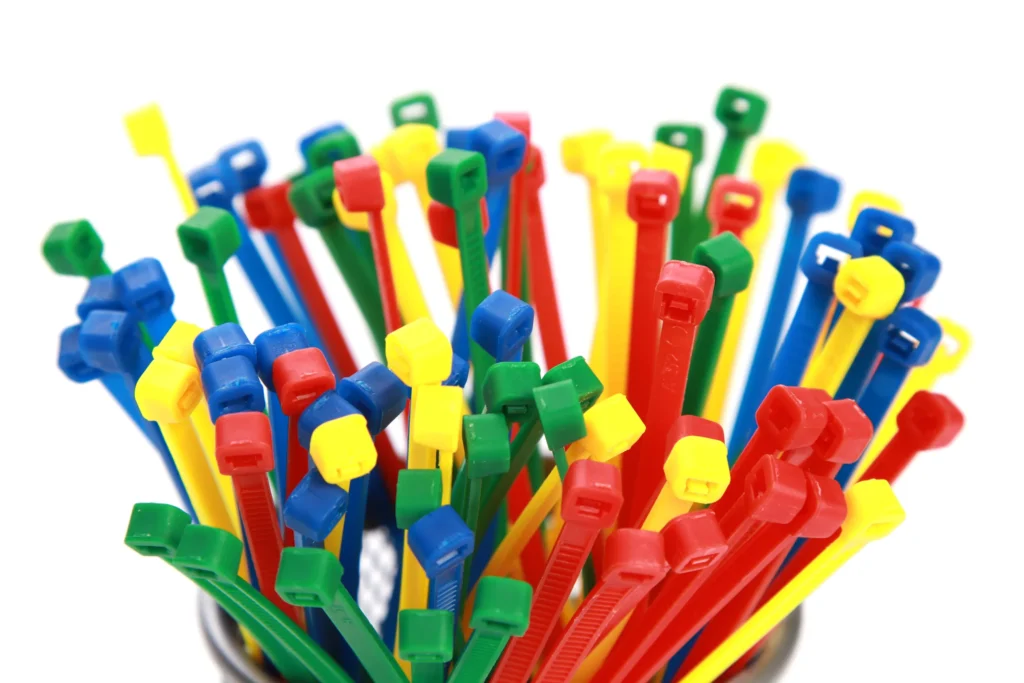
Zip tie colorati hanno superato il loro scopo iniziale di confezionamento negli ambienti industriali, evolvendosi in uno strumento sistematico di gestione visiva. Servono come avvisi di sicurezza, ausili per il monitoraggio della qualità e strumenti per l'organizzazione dei processi. Il loro sistema di codifica colore standardizzato migliora l'efficienza operativa, riduce gli errori, garantisce la sicurezza e soddisfa gli standard del settore. Questo articolo approfondirà il valore complessivo del colore dei fascette di plastica da cable da tre prospettive: materiale, processo di abbinamento dei colori e applicazione
Classificazione dei materiali delle fascette di plastica colorate
Colored cable ties are primarily crafted from plastic materials like nylon 6, nylon 66, and PP. Nylon 6 ties are cost-effective and ideal for indoor use, while nylon 66 ties offer good rigidity, when combined with UV and heat-resistant additives, offer UV resistance and weatherproofing, making them suitable for outdoor use. PP-based ties are chemical-resistant but more expensive,suitable for industries such as electroplating and chemicals.. We also offer custom-made cable ties using special materials like PA11, PA12, PA46, PA66 (metal powder), and Teflon.
Processo di abbinamento dei colori per fascette di plastica colorate
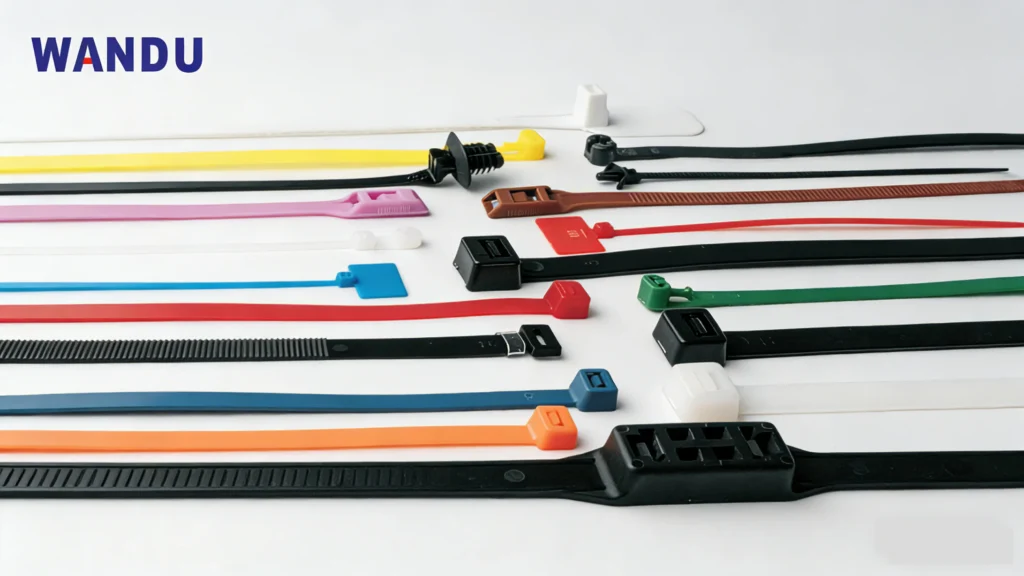
I colori principali per le fascette di plastica sono nero e bianco. Offriamo anche una gamma di fascette di plastica colorate in tonalità come rosso, giallo, blu, verde, rosa, arancione, viola, marrone, grigio, argento e oro. Per un abbinamento ottimale dei colori, si consiglia di inviare un campione della fascetta desiderata. In alternativa, è possibile utilizzare la tavolozza dei colori Pantone per selezionare un colore e noi produrremo un campione per la vostra approvazione. È possibile selezionare campioni di colore dal sito web Pantone sito web ) e inviarceli. Si prega di notare che affidarsi esclusivamente alle foto per la selezione del colore può comportare discrepanze.
Applicazioni delle fascette di plastica colorate
Le fascette di plastica colorate sono ampiamente utilizzate per vari scopi come il fissaggio di scatole e armadi, come segnali di avvertimento, per organizzare frutta e verdura, e per categorizzare e gestire le merci.
1. Categorizzazione dei circuiti
Utilizziamo fascette di plastica colorate per differenziare le linee di alimentazione, segnale e terra. Ad esempio, fascette di plastica rosse indicano linee resistenti al fuoco, mentre fascette di plastica blu rappresentano linee neutre.
2.stazioni base di telecomunicazioni
le fascette in fibra ottica sono classificate in base al colore per indicare la direzione di trasmissione o lo scopo. le fascette blu rappresentano i segnali di uplink, fascette di plastica arancioni rappresentano segnali downlink, e le fascette di plastica gialle rappresentano collegamenti di backup ridondanti. Distinguendo per tipo di segnale e livello di rete: Le fascette di plastica in fibra ottica monomodale sono identificate da zip tie verdi, modalità multipla tramite grigio, canali di controllo dedicati tramite fascette viola e canali di trasmissione criptati tramite zip tie neri.
3.Classificazione del sistema di alimentazione
Il sistema di alimentazione è classificato con fascette autobloccanti gialle per 110V e fascette rosse per 220V, garantendo la sicurezza elettrica.
4.Identificazione tubi e attrezzature
Nelle aziende chimiche, zip tie viola sono tipicamente impiegate per distinguere i tubi chimici, mentre le fascette verdi sono usate per i sistemi di acqua di raffreddamento per migliorare la sicurezza. Nell'industria elettrica, sensori codificati per colore sono abbinati a tipi specifici per un'identificazione rapida, come zip tie gialli per i circuiti di sicurezza dei robot industriali.
5.Gestione dei data center:
We assign color-coded network layers or zip ties based on customer segmentation, such as blue for gigabit networks and cable ties yellow for 10G networks.
6.Rinforzo temporaneo delle strutture e allestimenti per matrimoni
Fascette nere o verdi sono tipicamente impiegate per fissare tende, cartelloni pubblicitari e altre strutture durante festival musicali all'aperto, garantendo che rimangano nascoste ma sicure. Oro or zip tie argento sono spesso usate per composizioni floreali di matrimonio o illuminazione, creando un equilibrio tra funzionalità ed estetica.
7.Gestione dei cablaggi
Offriamo una varietà di cablaggi per riparazioni automobilistiche. I cablaggi rossi sono per cablaggi modificati, quelli neri per cablaggi originali e quelli blu per cablaggi specifici di navi per distinguerli dai sistemi di acqua di mare.
8.Avvertenze di sicurezza e ispezioni
Zip tie arancioni sono ideali per evidenziare segnali di avvertimento nelle zone di manutenzione o aree pericolose. Una volta superati i controlli di sicurezza, usare zip tie verdi per indicarlo, evitando così ispezioni duplicate.
9. Supporto alle piante e legatura
Per mantenere la coerenza dei colori e migliorare l'appeal estetico, fissare le viti o le piante artificiali con fascette di plastica verdi o marroni. Per una migliore organizzazione, utilizzare fascette di plastica colorate per la ricarica in ambienti di ricerca (ad esempio, fascette rosse per caricabatterie di smartphone, blu per caricabatterie di tablet).
10.Marcatori di emergenza
Nelle operazioni di soccorso in caso di disastri, utilizzare fascette rosse per segnare le zone prioritarie e fascette gialle per indicare le zone liberate. Per le apparecchiature mediche, usare fascette di cablaggio colorate per differenziare le funzioni come dispositivi di ossigeno e di inalazione. Tipicamente, le fascette bianche sono usate per i tubi di ossigeno e le gialle per i tubi di inalazione. Per gas misti, si consiglia di usare sia fascette bianche che grigie contemporaneamente.
Conclusione
Il nostro sistema di gestione dei cavi, che utilizza un processo di codifica a colori scientificamente rigoroso, eleva le fascette di plastica colorate a uno strumento visivo potente. Migliora l'efficienza, la sicurezza e l'ordine spaziale in vari contesti, dagli impianti industriali agli spazi di vita quotidiana. Offriamo gestione standard della codifica a colori o personalizzazioni flessibili per soddisfare le tue esigenze specifiche.
Domande frequenti
Q1: Quanti colori sono disponibili per le fascette di plastica colorate?
A1: I colori standard includono nero, bianco, rosso, giallo, blu e verde. I colori personalizzati includono rosa, arancione, viola, marrone, oro e argento. Naturalmente, qualsiasi colore può essere personalizzato purché venga rispettato il quantitativo minimo di ordine.
Come scelgo il materiale appropriato per il colore del mio fascetta di cablaggio?
A2: Dipende se verranno usate in ambienti interni o esterni (resistenti alle intemperie e ai raggi UV), e se sono richieste esigenze particolari come resistenza alla corrosione chimica o resistenza alle basse temperature.
Q3: Quanto tempo richiede la corrispondenza dei colori e la produzione?
A3: La corrispondenza dei colori richiede generalmente circa una settimana, e il tempo di produzione dipende dalla quantità dell'ordine.
Informazioni su Wandu — Zhejiang Wandu Plastic Co., Ltd. has produced nylon cable ties in Yueqing, Zhejiang, China since 2011. Our ISO 9001 certified factory runs 10 high-speed injection moulding machines and 8 professional cable tie test benches, covering nylon cable ties, stainless steel cable ties, cable clips, cable glands and spiral wrap. Products are CE and RoHS compliant and ship to buyers in 50+ countries. Every technical question below is answered by our own engineering team.
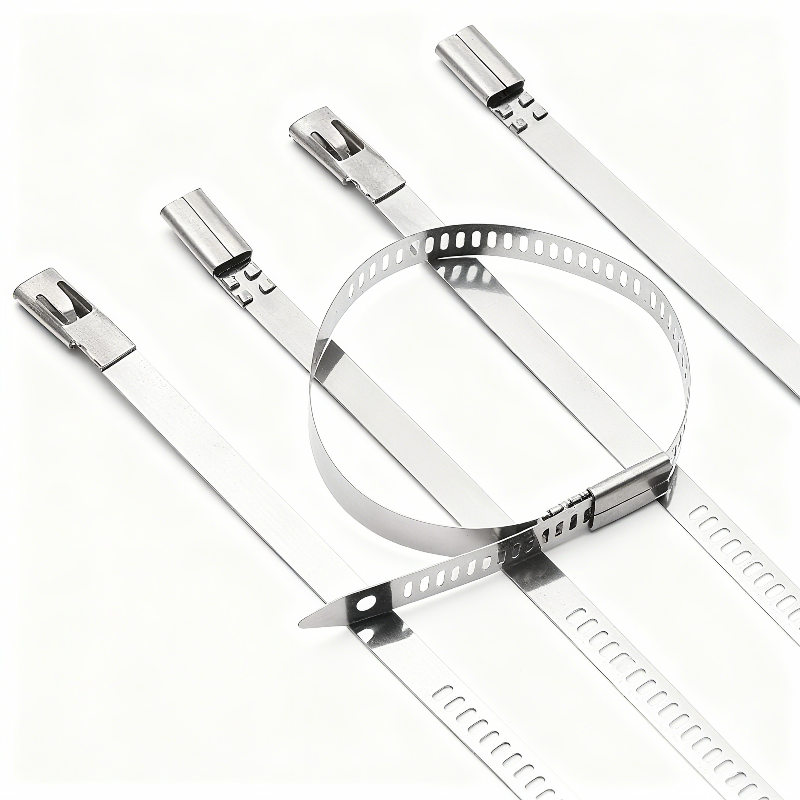
Introduction to Stainless Steel (SS) Cable Ties When industrial projects demand zero-failure fastening, standard nylon simply cannot compete. We engineer premium ss cable ties to deliver permanent, unyielding security for your most critical infrastructure worldwide. What Are SS Cable Ties? SS cable ties—widely recognized as stainless steel zip ties or metal cable ties—are heavy-duty fastening […]
Where to Buy Nylon Zip Ties Finding the right nylon zip ties requires balancing convenience with specific project requirements. Whether you are managing home theater cables or securing industrial equipment, sourcing from reputable suppliers ensures you receive high-quality nylon cable ties with reliable tensile strength. Top Online Retailers and Marketplaces For maximum variety and competitive […]
Hai mai pensato a come scegliere la fascetta giusta per il tuo progetto? Questa Guida alle dimensioni delle fascette chiarirà il processo di selezione delle dimensioni corrette. Dalla lunghezza e larghezza al diametro del fascio e alla resistenza alla trazione, esploreremo i fattori chiave che determinano la dimensione ideale della fascetta per le tue esigenze specifiche. Come […]
Utilizziamo i cookie per migliorare la tua esperienza di navigazione, offrire annunci o contenuti personalizzati e analizzare il nostro traffico. Cliccando su "Accetta tutto", acconsenti al nostro utilizzo dei cookie.
Cerchi fascette in nylon di alta qualità a un ottimo prezzo?
Ordina ora per provare prodotti di fascette convenienti che offrono praticità e protezione per il tuo lavoro e la tua vita.




 IT
IT  EN
EN  AR
AR  ES
ES  PT
PT  FR
FR  RU
RU  DE
DE  KO
KO  JA
JA  NL
NL  TR
TR